
Tax season doesn’t automatically mean you need to make an appointment with a tax professional. For many taxpayers, DIY tax-filing software offers a convenient, potentially affordable way to prepare and electronically file a tax return from home.
But convenience doesn’t mean DIY filing is the right choice for everyone.
Tax software can work particularly well when your return is relatively straightforward, and you’re comfortable reviewing your financial information. Once self-employment income, investments, rental properties, business activities, multi-state filing requirements, or complex deductions come into play, deciding whether to file yourself deserves more thought.
Before choosing an option, it helps to understand the pros and cons of DIY tax filing software, what these programs can—and can’t—do, and when professional tax help may be worth considering.
Affiliate Disclosure: This article contains affiliate links. If you join Wealthy Affiliate through one of my links, I may earn a commission at no additional cost to you. I recommend only products and services I have personally used or genuinely believe will add value for my readers. All opinions expressed in this review are my own.
What Is DIY Tax Filing Software?
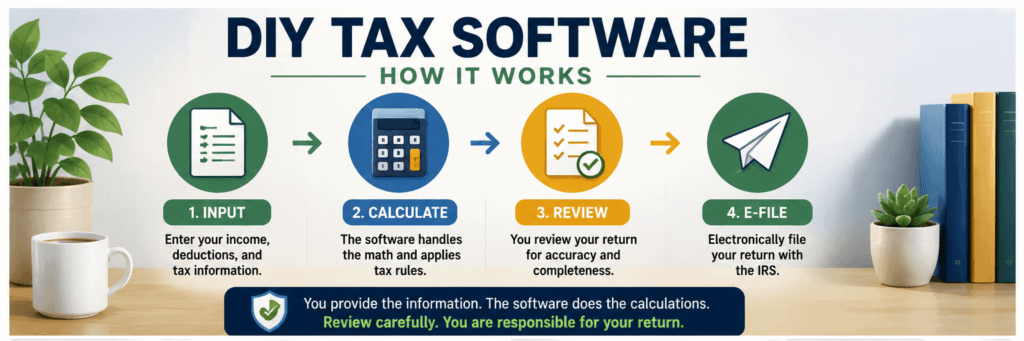
DIY tax filing software guides you through preparing a tax return by asking questions about your income, deductions, credits, dependents, and other relevant tax information.
Instead of manually completing tax forms and calculations, you enter or import your information, and the software uses it to complete the applicable sections of your return.
Most major tax-preparation programs allow eligible federal returns to be electronically filed with the IRS once preparation is complete.
Tax software can simplify the process, but it doesn’t eliminate your responsibility for the return. You still need to provide complete and accurate information and carefully review your return before submitting it.
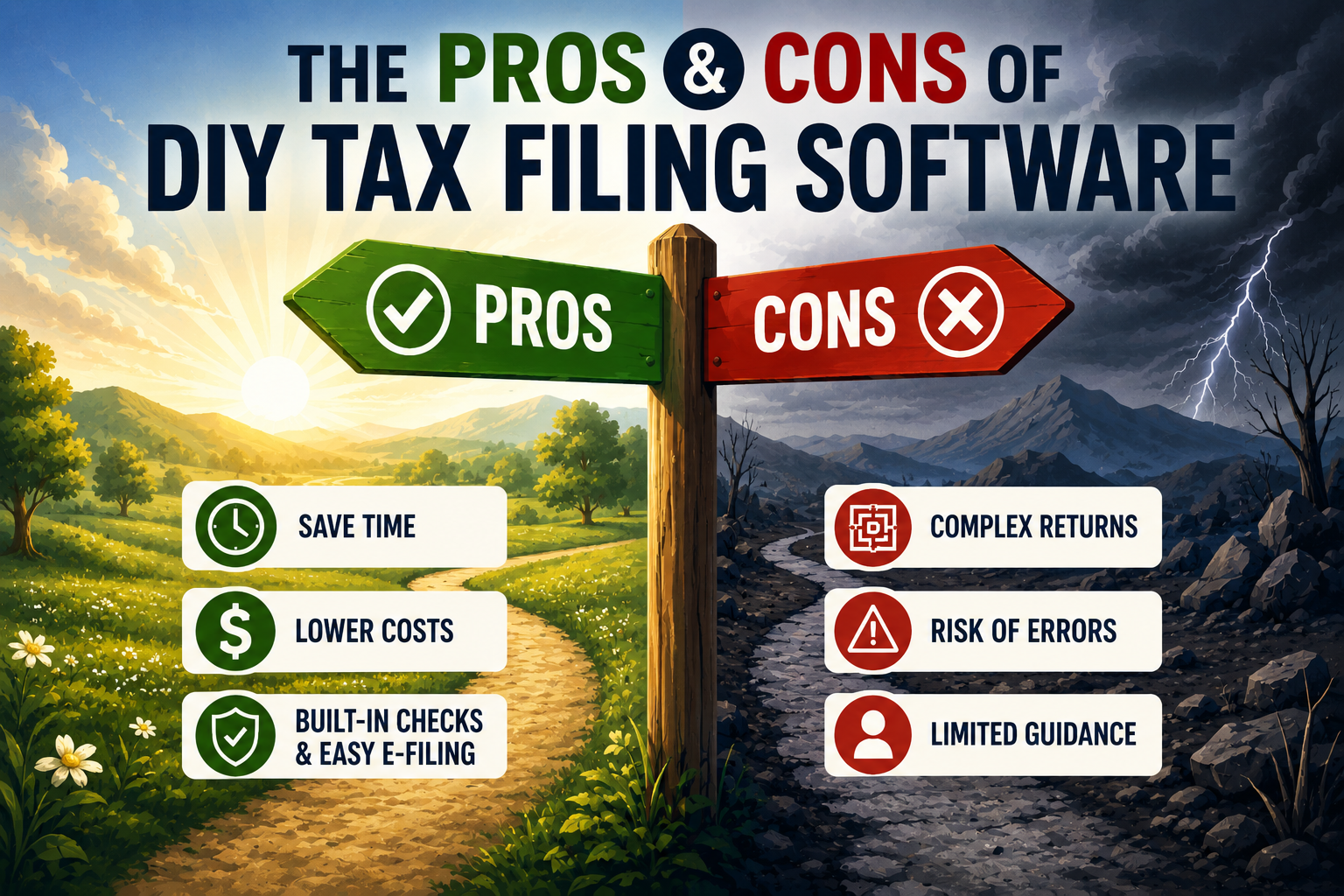
The Pros of DIY Tax Filing Software
1. Convenience
Convenience is one of the biggest advantages of filing taxes online.
You can generally work on your return whenever it fits your schedule, save your progress, and come back later. You don’t need to schedule an appointment with a tax preparer just to get started.
Guided software also breaks the tax-preparation process into a series of questions, making filing less intimidating than completing IRS forms manually.
2. Potentially Lower Filing Costs
Preparing your own return can cost less than hiring a tax professional, particularly when your tax situation is straightforward.
However, don’t assume your return will automatically qualify for free preparation.
Commercial providers may charge based on the tax forms you need, your state return, the complexity of your situation, or whether you want additional support from a tax professional.
Before selecting a product, review exactly what the advertised price includes.
There are also official free-filing options for eligible taxpayers.
For the 2026 tax filing season, IRS Free File Guided Tax Software is available to qualifying taxpayers with 2025 adjusted gross income (AGI) of $89,000 or less. Individual participating providers may have additional eligibility requirements.
Taxpayers who don’t qualify for guided software based on income can also use Free File Fillable Forms, regardless of income. However, these forms offer much less guidance and are generally better suited to peoplecomfortable preparing their own federal tax returns.
3. Built-In Calculations and Error Checks
DIY tax software can reduce common arithmetic and data-entry errors.
Many programs automatically calculate and flag missing or inconsistent information. Electronic filing can also catch common errors before it accepts a return.
If an electronically filed return is rejected, the taxpayer may have an opportunity to correct the problem and resubmit it.
But there’s an important limitation:
Tax software cannot guarantee that your return is accurate.
It works with the information you provide. If you omit income, enter incorrect information, or misunderstand a question, the software may not identify the problem.
4. Easy Electronic Filing
Most major DIY tax programs integrate electronic filing into the preparation process.
The IRS recommends electronic filing because it reduces many common errors associated with paper returns and generally allows returns to be processed more efficiently.
You also receive confirmation that an electronically filed return has been accepted.
If you’re expecting a federal refund, the IRS says electronic filing combined with direct deposit is the fastest way to receive it.
That doesn’t guarantee you’ll receive your refund within a specific number of days. Some returns require additional review and can take longer to process.
5. Import Features Can Save Time
Depending on the tax-software provider and your financial institutions, you may be able to import information from previous tax returns and certain tax documents.
This can reduce repetitive data entry and potentially decrease transcription errors.
Still, don’t blindly trust imported information. Compare imported numbers with your original tax documents before filing.
Thinking About Filing Your Own Taxes?
DIY tax software can make tax preparation easier, but choosing the right program matters. Compare features, pricing, filing support, and the tax situations each option handles before you decide. Explore your tax software options and choose the solution that fits your return.
The Cons of DIY Tax Filing Software
1. Complex Returns Can Still Be Difficult
Tax software makes calculations easier, but it doesn’t necessarily make tax law simple.
Your return may require more attention if it involves:
- Self-employment or business income
- Multiple sources of income
- Rental properties
- Significant investment activity
- Stock or cryptocurrency transactions
- Multi-state filing requirements
- Complicated deductions or credits
- Major financial or family changes
Many tax-software products support some or all of these situations. However, you’re still responsible for providing the correct information and understanding the questions being asked.
2. You Can Still Overlook Deductions or Credits
Tax software can ask questions designed to identify deductions and credits for which you may qualify.
However, it can only work with the facts you provide.
If you don’t enter relevant information or don’t realize that a particular transaction or expense matters, the software may not identify every potential tax issue or opportunity.
This can be especially important for business owners and self-employed taxpayers, whose returns may require additional recordkeeping and follow different tax rules.
3. Personalized Advice May Be Limited
Some tax-software providers offer upgraded services that include assistance from tax professionals.
However, the price, availability, credentials of the professionals, and scope of that assistance vary by provider and product.
Remember that not every paid tax preparer is a CPA or enrolled agent. Tax professionals can have different credentials, qualifications, and experience levels.
If you decide to hire someone, check their qualifications and make sure they have experience relevant to your tax situation.
4. DIY Filing Still Takes Time
Tax software can streamline tax preparation, but it doesn’t eliminate the work.
You still need to:
- Gather your tax documents
- Review your income
- Enter or verify information
- Consider applicable deductions and credits
- Check personal information
- Review your completed return
For a straightforward return, this may be manageable. As your financial situation becomes more complicated, the amount of time and research required can increase substantially.
5. “Free” Doesn’t Always Mean Everything Is Free
Be careful when you see a commercial tax product advertised as “free.”
Eligibility and included features vary. Additional tax forms, state returns, more complicated tax situations, or access to professional assistance may result in additional charges.
That’s different from IRS Free File, which is an IRS partnership with participating tax-software companies for eligible taxpayers.
If you want to use IRS Free File, start through IRS.gov rather than assuming a commercial provider’s regular free product is the same program.
DIY Tax Software vs. a Tax Professional: Which Is Better?
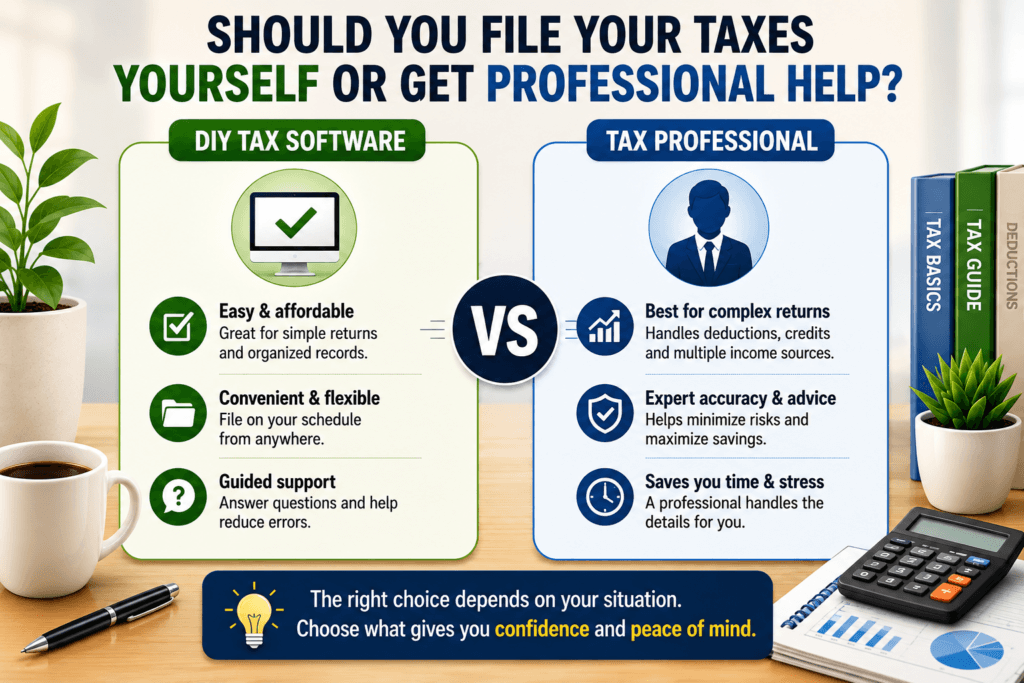
There’s no universal answer.
The right choice depends largely on the complexity of your tax situation and how comfortable you are handling it.
DIY Tax Software May Make Sense If:
- Your tax situation is relatively straightforward.
- Your records are organized.
- You’re comfortable answering tax-related questions.
- You understand your major sources of income.
- You’re willing to carefully review your return.
- Cost and convenience are priorities.
Consider Professional Tax Help If:
- You own or recently started a business.
- You have complicated self-employment income.
- You own rental properties.
- You completed significant or complicated investment transactions.
- You have multi-state filing obligations.
- You’ve received an IRS notice.
- You’re uncertain about significant deductions or credits.
- Your financial situation changed substantially during the year.
- You’re simply uncomfortable preparing the return yourself.
Importantly, income alone doesn’t determine whether you need professional assistance.
Someone with a relatively high income and a straightforward return may find DIY software manageable, while someone earning less may face a more complicated tax situation involving self-employment, investments, or multiple states.
DIY Tax Filing Tips for Beginners
If you decide to prepare your own return, these steps can make the process easier.
Gather Your Documents First
Before opening your tax software, collect the documents relevant to your return, such as:
- W-2 forms
- 1099 forms
- Income records
- Business income and expense records
- Documents supporting deductions or credits
- Investment tax documents
- Your previous year’s tax return
Having your records ready can reduce interruptions and lower the risk of overlooking important information.
Don’t Assume Imported Information Is Correct
Import tools are convenient, but mistakes can still happen.
Compare imported information with your actual tax documents before submitting your return.
Read Every Question Carefully
Avoid clicking through prompts too quickly because they don’t initially seem relevant.
A seemingly small detail can affect how income, deductions, or credits are reported.
Don’t Ignore Small Amounts of Income
Don’t assume income doesn’t need to be reported simply because the amount is small or because you didn’t receive a particular tax form.
Whether income must be reported and whether someone must issue an information return, such as a Form 1099, are separate questions.
When in doubt, check the applicable IRS guidance or consult a qualified tax professional.
Review Your Entire Return
Don’t treat the software’s final error check as your only review.
Before submitting, verify important information including:
- Names
- Social Security or taxpayer identification numbers
- Filing status
- Dependents
- Income
- Deductions and credits
- Bank information for direct deposit or payment
A few extra minutes of review can catch simple but potentially troublesome mistakes.
Choose Reputable Tax Software
Before entering sensitive financial information, research the provider’s security practices, privacy policy, pricing, customer support, and filing capabilities.
Use strong, unique passwords and enable multi-factor authentication when available.
Common DIY Tax Filing Mistakes to Avoid
Even good tax software can’t prevent every mistake.
Watch for these common problems:
- Omitting taxable income
- Entering incorrect personal information
- Overlooking state filing requirements
- Claiming deductions or credits without confirming eligibility
- Failing to review imported information
- Entering numbers from the wrong tax document or box
- Rushing through the final review
- Assuming software guarantees an error-free return
Remember: you are responsible for the information reported on your tax return, even when software—or a paid tax preparer—helps you prepare it.
Frequently Asked Questions About DIY Tax Software
Is DIY tax filing software safe?
Reputable tax-software companies use security measures designed to protect sensitive information, but practices vary by provider.
Research the company before entering financial information, use strong account credentials, enable available security protections, and watch for tax-related phishing attempts.
Can tax software handle W-2 and 1099 income?
Many major tax-software products support W-2s and various types of 1099 income.
However, receiving self-employment, investment, or other income can introduce additional tax requirements. Check whether your chosen product supports the specific forms and schedules your situation requires.
Can tax software prevent an IRS audit?
No.
Tax software can perform calculations and flag certain potential errors, but it cannot guarantee that your return is accurate or prevent the IRS from examining it.
Is DIY tax software cheaper than hiring a professional?
It can be, particularly for straightforward returns.
The actual cost depends on the software, required forms, state returns, return complexity, and whether you purchase additional professional assistance.
When should I consider hiring a tax professional?
Professional assistance may be worth considering if your return involves complex business activities, rental properties, unusual investment transactions, multiple states, IRS notices, or tax issues you’re not confident handling on your own.
Not Sure DIY Tax Software Is Enough?
The cheapest filing option isn’t always the best fit for a complicated return. Before you file, consider whether your income sources, business activities, investments, deductions, or other tax circumstances require more personalized guidance. Compare your options now and choose the filing approach that gives you confidence before you submit.
Final Thoughts: Is DIY Tax Filing Software Worth It?
For taxpayers with relatively straightforward returns, DIY tax-filing software can offer a convenient, potentially affordable way to prepare and electronically file their taxes.
Its biggest advantages include convenience, guided preparation, automated calculations, electronic filing, and potentially lower preparation costs.
Its biggest limitation is just as important:
Tax software depends on the information you provide.
It can help you prepare a return, but it can’t replace your responsibility to provide accurate information, understand your tax situation, and carefully review everything before filing.
As your finances become more complicated, professional tax guidance may become more valuable.
Before deciding, compare the cost and convenience of DIY filing with the complexity of your return and your confidence in preparing it correctly.
The goal isn’t simply to finish your taxes as quickly or cheaply as possible. It’s to file a complete and accurate return using the approach that makes the most sense for your situation.
Disclaimer: This article is for general informational purposes only and is not intended as tax, legal, or financial advice. Tax laws and individual circumstances vary. Consult IRS guidance or a qualified tax professional for advice about your specific situation.