
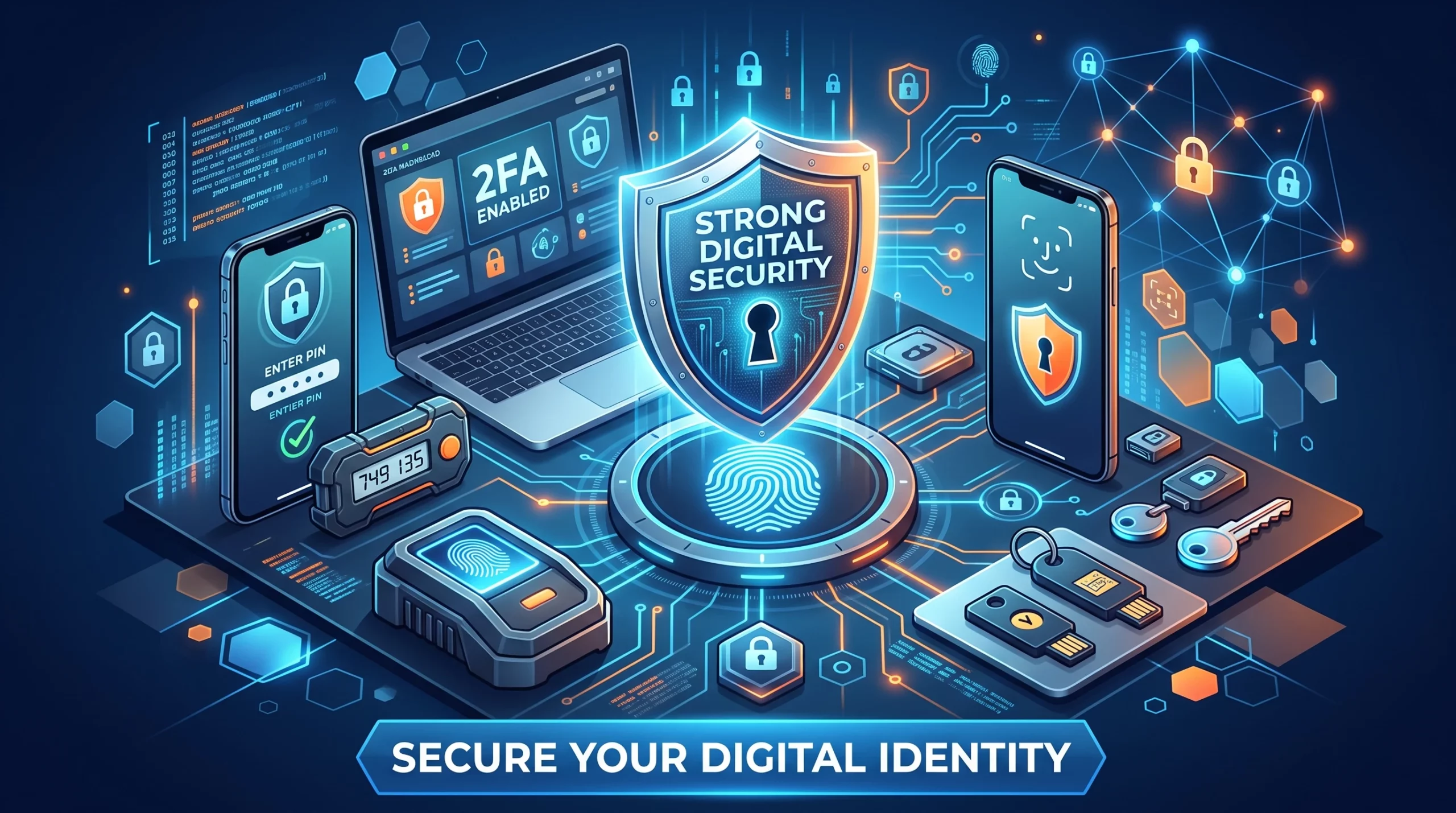
Passwords still matter, but a password alone should not be the only thing protecting your business email, accounting software, payroll, cloud storage, banking, and other sensitive systems.
That’s where multi-factor authentication (MFA) comes in.
MFA requires more than one type of authentication before granting access. If a password is stolen through phishing, credential theft, or another breach, an additional authentication factor can make unauthorized access much harder.
But there is an important distinction for 2026: not all MFA provides the same level of protection.
Affiliate Disclosure: This article contains affiliate links. If you join Wealthy Affiliate through one of my links, I may earn a commission at no additional cost to you. I recommend only products and services I have personally used or genuinely believe will add value for my readers. All opinions expressed in this review are my own.
What Is Multi-Factor Authentication?
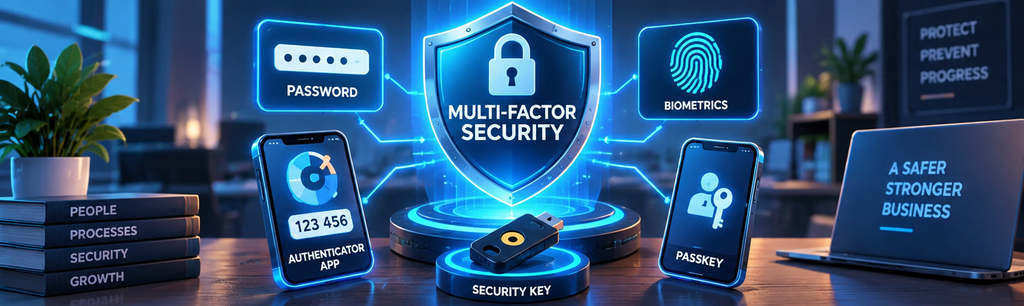
Authentication factors generally fall into different categories:
- Something you know: a password or PIN
- Something you have: a phone, authenticator, or security key
- Something you are: a biometric characteristic used through an authentication system
MFA combines factors from different categories.
Simply entering a password and then another password is not MFA.
Why MFA Matters for Small Businesses
Small businesses increasingly depend on cloud applications for email, bookkeeping, payroll, customer management, ecommerce, file storage, and payments.
A compromised account can therefore expose far more than one application.
CISA recommends requiring MFA wherever possible and specifically prioritizing administrative accounts, sensitive information, and remote access.
Consider protecting these accounts first:
- Business email
- Accounting and bookkeeping
- Banking and payment platforms
- Payroll
- Cloud storage
- Administrator accounts
- Remote-access systems
- E-commerce platforms
- Password managers
Your email account deserves particular attention because attackers may use a compromised inbox to reset passwords or impersonate your business.
Not All MFA Is Equally Strong
The right question isn’t simply, “Do we have MFA?”
Businesses should also ask, “What type of MFA are we using?”
1. Security Keys and FIDO/WebAuthn
Physical security keys and other properly implemented FIDO/WebAuthn authenticators can provide phishing-resistant authentication.
Unlike manually entered codes, WebAuthn authentication can bind authentication to the legitimate website. That makes it much harder for a fake login page to capture authentication information and reuse it against the real service. NIST identifies WebAuthn, used by FIDO2 authenticators, as an example of phishing-resistant authentication.
These methods are especially worth considering for administrators and other high-value accounts.
2. Passkeys
Passkeys use cryptographic credentials rather than a reusable password.
Depending on implementation, a passkey may be stored on one device or synchronized securely across devices. Properly configured WebAuthn-based syncable authenticators can provide phishing resistance because their credentials are tied to the legitimate service.
However, “passkey,” “passwordless,” and “MFA” should not automatically be treated as interchangeable terms. Authentication assurance depends on how the service and authenticator are implemented.
3. Authenticator Apps With One-Time Codes
Time-based one-time passwords, often called TOTP codes, typically change every 30 seconds.
They can provide valuable additional protection over password-only authentication.
However, users manually enter these codes. NIST therefore does not classify manually entered OTP authentication as phishing-resistant because a sophisticated phishing site can potentially capture and relay the code.
4. Push Notifications
Push-based authentication asks the user to approve a login through an application.
The weakness is MFA fatigue or push bombing: an attacker repeatedly generates prompts hoping the user eventually approves one.
When phishing-resistant MFA isn’t available, CISA recommends techniques such as number matching rather than simple approve/deny push notifications.
Employees should be trained to reject unexpected MFA prompts and report them.
5. SMS and Email Codes
Text-message authentication can still provide additional protection compared with a password alone, but stronger options should generally be preferred when available.
CISA places text and email codes at the weaker end of its business MFA options.
Don’t disable MFA simply because the only available option is weaker. Instead, use the strongest method the service supports and migrate when better authentication becomes available.
IntegriBooks: Protect the Systems Behind Your Financial Records
Cybersecurity and good financial processes go hand in hand. See how IntegriBooks can help keep your business financial records cleaner and better organized.
How to Implement MFA in a Small Business
You don’t have to transform every account overnight.
Step 1: Identify Critical Accounts
Create an inventory of important systems and identify which support MFA.
Start with accounts where compromise could have the greatest impact, particularly email, administrators, financial applications, payroll, remote access, and cloud storage.
Step 2: Use the Strongest Practical Authentication
Where supported, consider phishing-resistant methods such as properly implemented FIDO/WebAuthn security keys or passkeys.
If those aren’t available, authenticator applications can still provide useful protection. Prefer number-matching push authentication over simple approve/deny prompts when available.
Step 3: Require MFA Rather Than Merely Offering It
An MFA option doesn’t protect an employee who never enrolls.
Where your administrative tools allow it, establish and enforce an MFA policy for relevant business accounts.
Step 4: Give Everyone Individual Accounts
Avoid shared employee accounts whenever individual access is available.
Individual accounts make it easier to enforce MFA, apply appropriate permissions, revoke access, and investigate suspicious activity.
Step 5: Train Employees
Employees should understand:
- How their MFA method works
- How to recognize unexpected prompts
- Why they should never share verification codes
- How to report suspicious authentication requests
- What to do after losing a registered device
MFA complements phishing awareness; it doesn’t replace it.
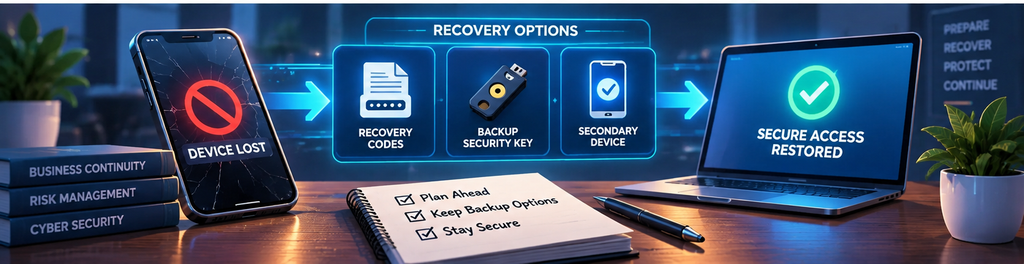
Don’t Forget MFA Recovery
Recovery deserves the same attention as login security.
If an attacker can bypass MFA through a weak recovery process, strong authentication loses much of its value.
Your business should establish procedures for:
- Lost or replaced phones
- Lost security keys
- Backup authenticators
- Recovery codes
- Employee departures
- Compromised devices
- Emergency administrator access
Store recovery codes securely. Don’t leave them in unsecured email, chat conversations, or documents everyone can access.
For important accounts, consider registering an appropriate backup authenticator so losing one device doesn’t create a business emergency.
What If an Employee Leaves?
Include MFA in your offboarding process.
Promptly:
- Deactivate the employee’s account.
- Revoke active sessions where supported.
- Remove registered authenticators.
- Remove access to password managers and SSO.
- Revoke unnecessary application tokens and integrations.
- Transfer ownership of necessary business information.
- Review administrative privileges.
Changing a shared password alone is not a complete offboarding procedure.
Is MFA Enough to Secure a Business?
No.
MFA is one layer of a broader security program.
Businesses should combine authentication controls with:
- Unique passwords and password managers
- Least-privilege access
- Prompt software updates
- Employee phishing training
- Secure backups
- Device protection
- Logging and monitoring
- Documented incident-response procedures
CISA similarly recommends small and medium businesses address MFA alongside passwords, phishing, software updates, logging, backups, and encryption.
Frequently Asked Questions
What is the strongest MFA for a small business?
There isn’t one method appropriate for every system, but CISA recommends businesses work toward phishing-resistant MFA. FIDO/WebAuthn security keys and appropriately implemented passkeys can provide phishing resistance.
Is an authenticator app better than SMS?
Authenticator applications generally avoid some weaknesses associated with SMS, but manually entered OTP codes are still not phishing-resistant. Use stronger cryptographic authentication where practical.
Are biometrics MFA?
Not automatically. A fingerprint or face scan is often used locally to unlock a device or cryptographic authenticator; whether the overall login qualifies as MFA depends on how the authentication system is designed.
Should employees approve a push notification they didn’t initiate?
No. An unexpected authentication prompt can indicate that someone else is attempting to access the account. Employees should reject it and follow the company’s security-reporting procedure.
Make MFA Part of Your Business Security Strategy
The case for multi-factor authentication for business in 2026 isn’t that MFA makes accounts impossible to compromise.
It’s that relying on a password alone creates unnecessary risk.
Start with your most important accounts, require MFA where practical, choose stronger phishing-resistant authentication when supported, train employees, and build a secure recovery process.
IntegriBooks: Keep Your Financial Processes Organized
Protecting financial information also depends on knowing where your records are and maintaining reliable financial processes. Connect with IntegriBooks for cleaner, more organized bookkeeping support.