

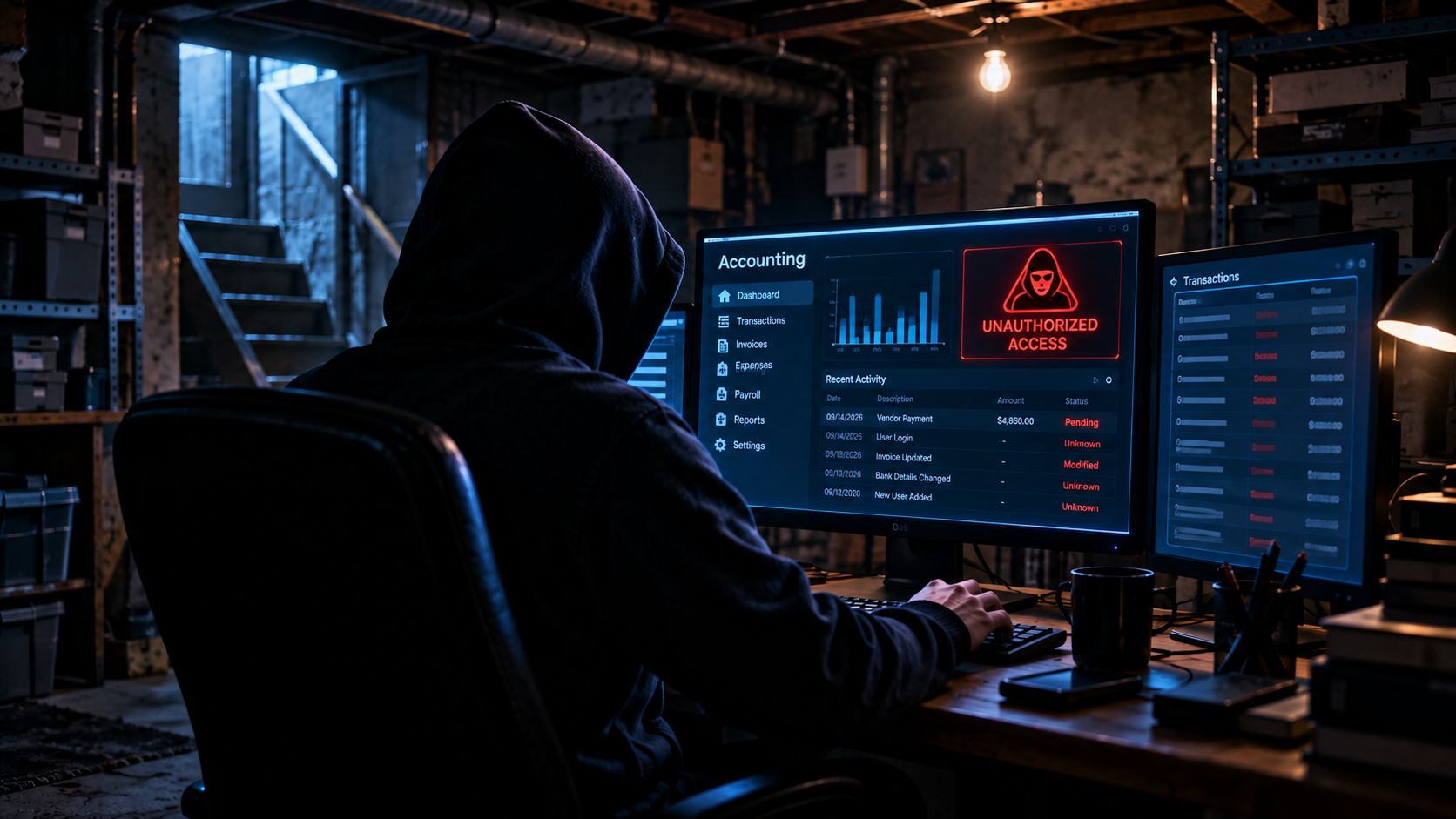
Your accounting system contains some of your business’s most sensitive information—banking details, payroll records, tax information, invoices, vendor payment details, customer data, and financial reports.
That makes protecting it an important part of both bookkeeping and cybersecurity.
A strange login or unexplained accounting discrepancy doesn’t automatically mean your system has been hacked. But certain warning signs—especially when several appear together—deserve immediate investigation.
Here are nine signs your accounting system may have been compromised and what small businesses should do next.
Affiliate Disclosure: This article contains affiliate links. If you join Wealthy Affiliate through one of my links, I may earn a commission at no additional cost to you. I recommend only products and services I have personally used or genuinely believe will add value for my readers. All opinions expressed in this review are my own.
1. Unrecognized Login Activity
Unexpected login activity is one of the first things worth investigating.
Watch for:
- Devices you don’t recognize
- Login attempts you didn’t make
- Unusual access times
- Repeated failed logins
- Successful logins that don’t match normal activity
Location information alone isn’t proof of compromise. VPNs, mobile networks, travel, and other technical factors can make legitimate logins appear to originate elsewhere.
Instead, compare login information with your normal activity and investigate anything you can’t explain.
2. Users or Permissions Changed Without Authorization
Review who can access your accounting system and what each person can do.
Potential warning signs include:
- Unknown user accounts
- Former employees regaining access
- Employees receiving administrator privileges unexpectedly.
- Changed approval permissions
- New third-party integrations
- Unauthorized access to payroll or banking functions
Businesses should follow the principle of least privilege: users should receive only the access necessary to perform their jobs.
3. Transactions or Accounting Records Have Changed
Unexplained financial changes can be particularly serious.
Investigate:
- Deleted or altered transactions
- Changed invoices
- New or modified vendors
- Unexplained journal entries
- Modified payroll information
- Changed payment details
- Unexpected adjustments
- Transactions that don’t match bank records
Not every discrepancy is malicious. Bookkeeping mistakes, synchronization problems, imports, and legitimate employee changes can also cause differences.
The important question is whether the activity can be traced to an authorized person and supported by appropriate documentation.

4. Vendor Payment Information Suddenly Changes
This deserves special attention.
A cybercriminal who gains access to email or financial systems may attempt to redirect legitimate payments by changing a vendor’s bank details.
Treat unexpected requests to change:
- Bank account numbers
- ACH instructions
- Wire-transfer details
- Payment recipients
as high-risk financial events.
Verify significant payment changes through a separate trusted communication method, such as calling a known vendor contact using information already in your records—not the phone number supplied in the change request.
5. Security Settings Have Been Modified
An attacker may try to maintain access by weakening security.
Warning signs can include:
- MFA being disabled
- Recovery information changing
- Password-reset notifications you didn’t request
- New trusted devices
- New administrator accounts
- Security alerts being turned off.
If your accounting provider offers security notifications, enable them.
IntegriBooks CTA: Better Records Make Unusual Activity Easier to Spot
Clean, regularly reconciled books make it easier to recognize transactions and account changes that don’t belong.
See how IntegriBooks can help you maintain cleaner, more organized financial records.
6. You’re Unexpectedly Locked Out
An unexpected account lockout deserves investigation, particularly when combined with password-reset or security-change notifications.
Don’t repeatedly attempt to regain access through links in unsolicited emails.
Instead, contact your accounting software provider through its official website or established support channel.
Also check the email account connected to your accounting software. If your email has been compromised, an attacker may be able to intercept password resets and security notifications.
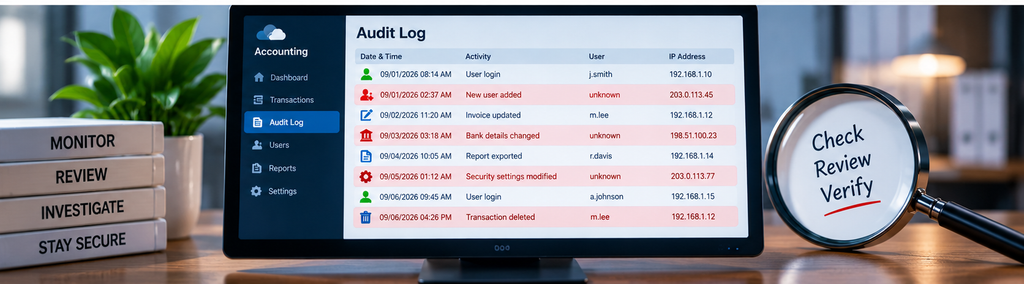
7. Audit Logs Show Activity You Can’t Explain
Audit trails and security logs can provide valuable evidence of what happened.
Depending on your accounting platform, logs may show:
- User logins
- Record changes
- Deleted transactions
- Permission changes
- Administrative activity
- Connected applications
- Dates and times of changes
CISA recommends logging and monitoring important business systems because unusual activity can help organizations identify unauthorized access earlier.
Don’t assume every accounting platform records the same information. Check your provider’s documentation to understand what its audit and security logs actually capture.
8. Connected Applications Change Unexpectedly
Modern accounting systems rarely operate alone.
They may connect to:
- Banks
- Payroll systems
- Payment processors
- Expense applications
- E-commerce platforms
- Cloud storage
- CRM systems
An unfamiliar integration, authorization token, or connected application can create another route into financial information.
Periodically review connected applications and remove integrations your business no longer uses.
9. Your Bank Records Don’t Match Your Accounting System
Reconciliation isn’t just an accounting task—it can also help identify suspicious activity.
Investigate unexplained differences involving:
- Bank balances
- Credit card activity
- Payments
- Transfers
- Payroll
- Vendor transactions
A mismatch does not automatically mean cybercrime. Timing differences and bookkeeping errors are common.
But unexplained transactions should never simply be adjusted away to make the reconciliation balance.
Cloud vs. Desktop Accounting: Which Is Safer?
Neither is automatically secure or insecure.
Cloud accounting systems depend heavily on account security, MFA, permissions, connected applications, provider safeguards, and secure user devices.
Locally installed systems can face threats from malware, ransomware, stolen credentials, remote-access attacks, unpatched software, unauthorized users, and physical access.
Security, therefore, depends less on whether software is “cloud” or “desktop” and more on how the entire environment is protected.
What to Do If You Suspect Your Accounting System Was Compromised
Don’t start randomly deleting accounts, records, or logs. Evidence may be important for understanding what happened.
Instead:
- Contain the incident. Restrict suspicious access and isolate infected devices where appropriate.
- Contact your IT or cybersecurity professional. Serious incidents may require forensic investigation.
- Contact your accounting software provider. Use an official support channel.
- Secure affected accounts. Change credentials known or suspected to be compromised and review recovery methods.
- Revoke unauthorized access. Review active sessions, users, administrators, integrations, and connected applications where the platform permits.
- Preserve evidence. Save relevant logs, alerts, emails, timestamps, and other records rather than destroying them.
- Review financial activity. Check invoices, payroll, vendors, bank connections, payments, and recent transactions.
- Contact your financial institution quickly if money may be at risk. Unauthorized transfers or changed payment instructions may require immediate action.
- Determine notification obligations. Depending on the information involved and your jurisdiction or industry, legal, regulatory, contractual, insurance, or customer-notification requirements may apply.
For a significant breach, consider professional cybersecurity and legal guidance rather than trying to investigate everything yourself.
How to Reduce the Risk of Another Compromise
Security should become part of normal financial operations.
Prioritize:
- Long, unique passwords
- A reputable password manager
- MFA on accounting, email, banking, payroll, and administrator accounts
- Phishing-resistant authentication where supported
- Prompt security updates
- Limited user permissions
- Regular access reviews
- Protected audit logs
- Employee phishing awareness
- Recoverable backups
- Payment-verification procedures
- A written incident-response plan
Don’t force password changes every few months simply because the calendar says so. Current NIST guidance recommends changing passwords when there is evidence of compromise rather than requiring arbitrary periodic changes.
Frequently Asked Questions
Does an unfamiliar login mean my accounting software was hacked?
Not necessarily. Investigate the device, time, authentication activity, and other available evidence. Location information by itself isn’t enough to prove unauthorized access.
Should I change everyone’s passwords after suspicious activity?
Change credentials that are known or reasonably suspected to be compromised, but don’t make password changes your entire response. Investigate the incident, review sessions and permissions, secure connected accounts, and preserve evidence.
Is MFA enough to protect accounting software?
No. MFA is an important layer, but businesses still need secure devices, access controls, updates, phishing awareness, monitoring, backups, and sound financial procedures.
What if I find an unauthorized payment?
Contact the relevant bank, card issuer, payment processor, or other financial institution immediately. Then preserve evidence and investigate how the transaction occurred.
Make Accounting Security Part of Your Routine
Recognizing the signs your accounting system has been compromised isn’t just an IT responsibility.
Regular reconciliations, access reviews, audit-log monitoring, secure authentication, and clear payment procedures can help small businesses detect problems sooner.
The goal isn’t to assume every accounting discrepancy is a cyberattack. It’s to establish enough visibility that unusual activity can be investigated instead of overlooked.
IntegriBooks CTA: Keep a Closer Eye on Your Financial Records
Well-maintained books give you a reliable financial baseline, making unusual transactions and unexplained changes easier to investigate.
Connect with IntegriBooks to build a cleaner, more organized bookkeeping process for your business.