
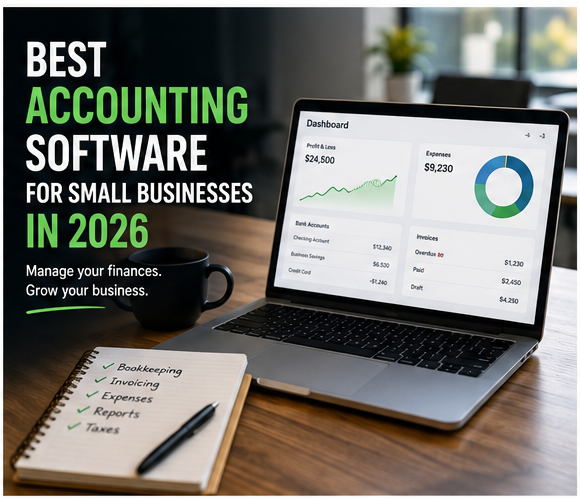
Running a small business means wearing enough hats already. Bookkeeping doesn’t need to become another full-time job.
Affiliate Disclosure: This article contains affiliate links. If you join Wealthy Affiliate through one of my links, I may earn a commission at no additional cost to you. I only recommend products and services I have personally used or genuinely believe provide value to my readers. All opinions expressed in this review are my own.
The best accounting software for small businesses in 2026 can automate much of the repetitive work that used to happen in spreadsheets—from importing bank transactions and sending invoices to tracking expenses and producing financial reports.
But there’s a catch: accounting platforms have become so feature-packed that choosing one can feel almost as complicated as doing the books yourself.
I’ve found that the best approach is to ignore the longest feature list and focus on what your business actually needs. A freelancer sending 10 invoices a month has very different requirements from an ecommerce company managing inventory, multiple payment processors, and hundreds of monthly transactions.
In this guide, I’ll compare five popular options—QuickBooks Online, Xero, Wave, Zoho Books, and FreshBooks—and explain which types of small businesses they’re best suited for in 2026.
Why Small Businesses Are Moving Beyond Spreadsheets
There’s nothing wrong with starting with a spreadsheet.
For a very small operation, it may be all you need.
The problems usually appear as the business grows. More customers mean more invoices. More sales mean more transactions to reconcile. Add online payments, expenses, contractors, inventory, sales tax, and an accountant into the mix, and suddenly that simple spreadsheet isn’t so simple anymore.
That’s where cloud accounting software starts earning its keep.
Modern platforms can help you:
- Import and categorize bank transactions
- Send invoices and payment reminders
- Track bills and expenses
- Reconcile accounts
- Generate profit-and-loss and balance-sheet reports
- Track sales tax
- Give your accountant access
- Connect with other business applications
- Monitor cash flow
In 2026, automation and AI are becoming increasingly visible parts of accounting platforms as well. The important thing isn’t whether a product has “AI” printed on its feature page, though. It’s whether those features actually reduce the amount of manual work you have to do.
I learned that distinction while managing the finances for an ecommerce and consulting business.
With inventory, subscriptions, client services, and roughly 300 monthly transactions to keep straight, I initially handled most of the bookkeeping myself. Eventually, I brought in an external accountant to review everything and help at tax time.
Cloud accounting software didn’t eliminate the need to understand my numbers, but it made staying on top of them considerably less stressful.
What to Look for in Small Business Accounting Software
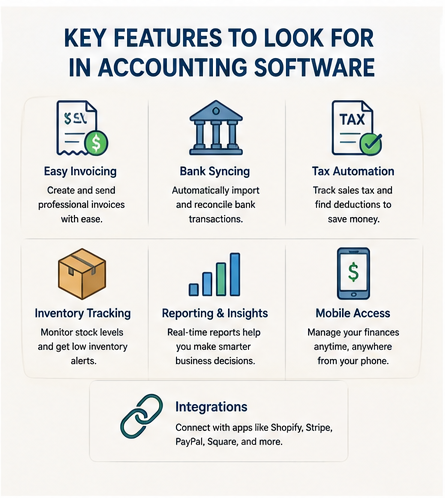
When comparing accounting software for small businesses, I focus on a handful of features that actually affect day-to-day work.
Easy Invoicing
If clients pay you directly, invoicing should be simple.
Look for customizable invoices, recurring invoices, online payment options, automatic reminders, and an easy way to see what’s overdue.
Bank Connections and Reconciliation
Connecting your business bank and credit-card accounts can eliminate hours of manual data entry.
The software should make it easy to import transactions, match them with existing records, categorize expenses, and reconcile your accounts.
Keep in mind that bank-feed availability can depend on your financial institution and country.
Expense and Receipt Management
Receipt capture is particularly useful if you’re constantly buying supplies, traveling, or paying business expenses from different accounts.
Check whether receipt scanning is included in your plan or requires an upgrade.
Financial Reporting
At minimum, I want quick access to:
- Profit and loss
- Balance sheet
- Cash-flow information
- Accounts receivable
- Accounts payable
- Expense reports
Growing businesses may also want budgets, project profitability, forecasts, and customized reporting.
Inventory
This is where the differences between platforms become much more noticeable.
If you sell physical products, look beyond a simple “inventory” checkbox. Think about whether you need purchase orders, stock adjustments, multiple locations, reorder information, serial numbers, batch tracking, or ecommerce synchronization.
Integrations
Your accounting platform shouldn’t live on an island.
Depending on your business, integrations with tools such as Shopify, Stripe, PayPal, Square, Amazon, CRM platforms, payroll systems, and expense-management software can significantly reduce duplicate data entry.
Accountant Access
Even if you’re doing your own bookkeeping today, that might change.
Being able to give an accountant or bookkeeper controlled access without sharing your own login makes collaboration much easier.
Best Accounting Software for Small Businesses in 2026

There isn’t one accounting platform that’s best for every business.
These are the five options I’d put on a small-business shortlist in 2026.
1. QuickBooks Online — Best All-Around Option for Growing Small Businesses
Best for: Small businesses that want a comprehensive accounting platform with room to grow
QuickBooks Online remains one of the first platforms I’d consider for a business that’s moving beyond basic bookkeeping.
Its strength is breadth. Depending on your plan and location, QuickBooks Online can cover core accounting, invoicing, bank feeds, reporting, bills, projects, inventory-related workflows, multicurrency features, and increasingly AI-assisted accounting tasks.
Intuit’s current QuickBooks Online offering also emphasizes AI-powered bank feeds, automated bookkeeping, collaboration, anomaly detection, and other automation features.
Why I Like QuickBooks Online
- Strong accounting and reporting tools
- Automated bank feeds
- Invoicing and quotes
- Broad ecosystem and integrations
- Accountant collaboration
- Multiple plans for growing businesses
- Increasing use of AI-assisted bookkeeping
Potential Drawbacks
QuickBooks can feel overwhelming if all you need is basic invoicing and expense tracking.
Features also vary significantly by plan and country, so it’s important to compare the exact version available where your business operates instead of assuming every QuickBooks feature is included.
My take: QuickBooks Online makes the most sense when your bookkeeping is becoming more complicated and you want a platform that can handle more of that complexity without forcing you to switch systems quickly.
2. Xero — Best for Growing Businesses and App Integrations
Best for: Growing small businesses that value integrations, reporting, and accountant collaboration
Xero has built a strong reputation among small businesses and accountants, and it’s especially attractive if your business uses several cloud applications.
In the U.S., Xero’s current lineup includes Early, Growing, and Established plans.
Its standard features include bank connections, reporting, inventory, purchase orders, contacts, online payments, and sales-tax functionality. Higher tiers add capabilities such as longer cash-flow forecasts, multicurrency accounting, project tracking, and employee expense claims.
Why I Like Xero
- Clean cloud-based interface
- Bank reconciliation
- Strong reporting
- Purchase orders and inventory functionality
- Large integration ecosystem
- Accountant-friendly workflow
- Multicurrency on the Established plan
- Project and expense tools on the Established plan
Watch the Entry-Level Limits
Xero’s Early plan is intentionally limited. In the U.S., it currently allows up to 20 invoices and five bills, making it better suited to very small businesses.
Growing removes those basic transaction limits, while Established adds features aimed at more complex businesses.
My take: Xero is one of the strongest QuickBooks alternatives for businesses that want serious accounting capabilities without sacrificing a relatively approachable interface.
3. Wave — Best Free Accounting Software for Basic Bookkeeping
Best for: Freelancers, solopreneurs, and very small businesses with straightforward accounting needs
Wave deserves a place on this list because its Starter plan is genuinely free.
As of 2026, Wave Starter includes unlimited estimates, invoices, bills, and bookkeeping records, plus basic cash-flow and customer management. You can also invoice through the mobile app and choose to accept online payments, with transaction fees applying.
That’s a useful package for a business that isn’t ready to pay a monthly accounting subscription.
There is one important distinction, though.
Automatic bank transaction imports and receipt scanning are not part of the free Starter plan. Those automation features are available with Wave Pro, which currently lists at $19 USD per month when billed monthly.
Wave Starter Includes
- $0 monthly subscription
- Unlimited invoices
- Unlimited estimates
- Bills and bookkeeping records
- Mobile invoicing
- Optional online payments
Wave Pro Adds
- Automatic bank transaction imports
- Receipt scanning
- Additional automation and productivity features
Who Should Choose Wave?
I’d look at Wave if you’re a freelancer, consultant, creator, side hustler, or service business with relatively simple books.
If you have sophisticated inventory, complex reporting requirements, or rapidly expanding operations, you’ll probably want something more powerful.
My take: Wave is one of the most appealing starting points when your priority is keeping accounting costs low without going back to spreadsheets.
4. Zoho Books — Best Value for Small Businesses That Want Automation
Best for: Freelancers, consultants, startups, and businesses already using the Zoho ecosystem
Zoho Books is easy to underestimate.
Its feature set has become surprisingly deep, and its pricing can make it attractive to businesses that don’t want to pay QuickBooks-level prices.
In the U.S., Zoho Books currently offers a Free plan for qualifying businesses with annual revenue of up to $50,000.
That free tier includes invoicing, expenses, recurring invoices, bank reconciliation, a customer portal, 1099 contractor tracking, and more than 50 reports. It supports one user plus one accountant, although there are annual transaction limits.
Paid plans add progressively more sophisticated functionality.
Current U.S. Pricing
At the time of writing, regular monthly pricing starts at:
- Free: $0 for qualifying businesses
- Standard: $20/month
- Professional: $50/month
- Premium: $70/month
- Elite: $150/month
- Ultimate: $275/month
Annual billing reduces those monthly-equivalent prices.
Why Zoho Books Stands Out
The Professional tier adds features including:
- Inventory tracking
- Purchase orders
- Sales orders
- Multicurrency transactions
- Project profitability
- Timesheet billing
- Custom workflows
The higher Elite tier goes considerably further with advanced inventory features such as warehouses, serial numbers, batch tracking, shipment tracking, and connections to online sales channels.
Who Should Choose Zoho Books?
Zoho Books is particularly attractive if you already use Zoho CRM or other Zoho products.
It’s also worth considering if you’re a small business looking for more automation and accounting functionality than a basic free platform provides.
My take: Zoho Books may offer one of the strongest price-to-feature ratios on this list, particularly for businesses willing to move beyond the Free tier as they grow.
5. FreshBooks — Best for Freelancers and Service-Based Businesses
Best for: Freelancers, consultants, agencies, and businesses that bill clients for projects or time
FreshBooks is the option I’d look at when invoicing and client work matter more than sophisticated inventory management.
Its interface is approachable, and the platform combines invoicing with expense tracking, estimates, time tracking, projects, and financial reports.
The pricing structure is unusual because some plans limit the number of billable clients rather than simply restricting features.
Current Regular U.S. Pricing
At the time of writing, regular monthly prices are:
- Lite: $21/month — up to 5 clients
- Plus: $38/month — up to 50 clients
- Premium: $65/month — unlimited clients
- Select: Custom pricing
FreshBooks frequently runs introductory promotions, so you may see much lower advertised prices. I prefer comparing the regular renewal price when deciding whether software fits my long-term budget.
Why FreshBooks Works for Service Businesses
Depending on the plan, FreshBooks offers:
- Unlimited invoicing within client limits
- Recurring invoices
- Expense tracking
- Estimates
- Time tracking
- Proposals
- Accountant access
- Receipt scanning
- Project profitability
- Accounts payable on higher plans
My take: If you make money by billing clients for services, projects, or time, FreshBooks deserves a look. If inventory management is central to your business, I’d compare Xero, QuickBooks, or Zoho Books first.
Quick Comparison: Best Small Business Accounting Software in 2026
| Software | Best For | Free Plan? | Key Strength |
|---|---|---|---|
| QuickBooks Online | Growing small businesses | No standard free plan | Broad accounting ecosystem |
| Xero | Growing and connected businesses | No | Integrations and accounting tools |
| Wave | Freelancers and very small businesses | Yes | Free basic bookkeeping and invoicing |
| Zoho Books | Value-conscious small businesses | Yes, eligibility applies | Automation and value |
| FreshBooks | Freelancers and service businesses | No | Invoicing and client/project workflows |
Pricing and features change frequently, and availability varies by country, so always check the provider’s current plan details before subscribing.
How to Choose the Right Accounting Software
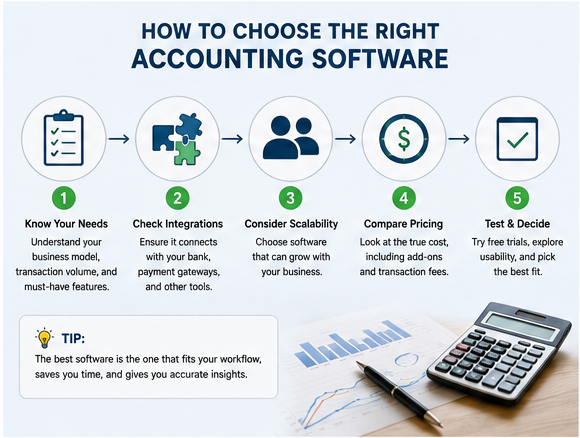
You don’t need the platform with the most features.
You need the one that removes the most friction from your particular business.
Here’s how I’d narrow the list.
1. Start With Your Business Model
A freelancer sending invoices needs something very different from an ecommerce store.
Freelancer or consultant: Prioritize invoicing, expenses, time tracking, and tax reports.
Ecommerce business: Prioritize inventory, ecommerce integrations, payment reconciliation, sales tax, and reporting.
Local retailer: Look closely at POS integrations, inventory, sales tax, and bank reconciliation.
Agency: Consider projects, time tracking, profitability, invoicing, and multiple users.
2. Look at Complexity, Not Just Revenue
I wouldn’t choose accounting software based on revenue alone.
A business earning $10,000 per month could have 30 simple transactions or 3,000 complicated ones.
Instead, consider:
- Monthly transaction volume
- Number of bank and credit-card accounts
- Inventory complexity
- Number of employees or contractors
- Currencies
- Sales channels
- Payment processors
- Reporting requirements
Those factors tell you much more about the accounting system you need.
3. Check Your Essential Integrations
Write down the systems your business already depends on.
For example:
- Shopify
- Amazon
- Stripe
- PayPal
- Square
- CRM
- Payroll
- Expense-management software
Then verify the exact integration before subscribing.
Don’t assume that because a platform “integrates with ecommerce” it automatically supports your specific store, country, payment processor, and workflow.
4. Ask Your Accountant
This is an easy step to overlook.
If you already work with an accountant or bookkeeper, ask what platforms they support before making your decision.
A slightly more expensive platform can be worth it if it makes collaboration and year-end reporting substantially easier.
5. Compare the Real Price
Ignore introductory discounts for a moment.
Ask:
What will this software cost after the promotion ends?
Then check whether you’ll need to pay extra for:
- Payroll
- Additional users
- Receipt scanning
- Payments
- Inventory
- Projects
- Multicurrency
- Premium support
- Additional organizations
That’s your real software cost.
Free vs. Paid Accounting Software: Which Should You Choose?
Free accounting software can be perfectly adequate for a small operation.
I’d start with a free option when:
- You’re a freelancer or solopreneur
- Your bookkeeping is straightforward
- You send relatively few invoices
- You don’t manage complex inventory
- You don’t need advanced automation
- You’re comfortable doing more work manually
Paid software starts making more sense when the time saved is worth more than the subscription.
That might happen when you have multiple accounts, growing transaction volume, employees, inventory, several sales channels, or an accountant regularly working in your books.
Don’t upgrade just because your revenue crosses an arbitrary threshold.
Upgrade when complexity starts costing you time.
What’s the Best Accounting Software for Online Businesses?
For ecommerce businesses, I’d start by comparing QuickBooks Online, Xero, and Zoho Books.
But don’t choose based on the word “ecommerce” alone.
Check whether the exact plan you’re considering supports the inventory and sales-channel functionality you need. Sometimes advanced inventory capabilities require a higher plan or an additional product.
For a service-based online business—such as consulting, freelancing, coaching, or an agency—FreshBooks may be a better fit because its strengths are invoicing, projects, expenses, and time tracking rather than inventory.
Should You Do Your Own Bookkeeping?
You can.
Accounting software has made basic bookkeeping much more accessible to small-business owners.
But software doesn’t automatically make every accounting decision correct.
I handled my own reconciliations and invoicing when my business was smaller. As the number of transactions increased, having an accountant review the books became worth the expense.
That’s still the setup I prefer: use software and automation to handle repetitive tasks, keep an eye on the reports myself, and bring in professional expertise when the situation calls for it.
Is Cloud Accounting Software Safe?
Major cloud accounting providers invest heavily in security, but no online platform is completely risk-free.
When evaluating software, look for protections such as:
- Encryption
- Multi-factor authentication
- Secure user permissions
- Regular backups
- Security and privacy documentation
- Independent security or compliance assessments where applicable
You have responsibilities too.
Use a unique password, enable multi-factor authentication, avoid sharing login credentials, and remove access when employees, contractors, or accountants no longer need it.
Common Mistakes to Avoid
Paying for Features You’ll Never Use
More expensive doesn’t automatically mean better.
If you’re a one-person consulting business, sophisticated warehouse management isn’t helping you.
Choosing Based on a Temporary Discount
Accounting companies frequently run promotions.
Compare the regular subscription price before committing.
Ignoring Add-On Costs
Payroll, payment processing, advanced inventory, extra users, and other services can turn an inexpensive subscription into a much larger monthly expense.
Forgetting About Data Portability
Your business may eventually outgrow the platform.
Before committing, check whether you can export customers, transactions, invoices, reports, and other important accounting data in usable formats.
Choosing Software Before Mapping Your Workflow
Start with your business—not the software.
Write down how money enters your business, how bills get paid, where transactions originate, how inventory moves, and who needs access.
Then find software that fits that workflow.
Inventory vs. Service vs. Retail Businesses
The best accounting software depends heavily on how your business makes money.
Ecommerce and Inventory Businesses
Prioritize:
- Inventory tracking
- Purchase orders
- Ecommerce integrations
- Payment reconciliation
- Sales tax
- Returns
- Cost-of-goods reporting
Service Businesses
Prioritize:
- Invoicing
- Recurring billing
- Time tracking
- Projects
- Expenses
- Client management
- Project profitability
Retail Businesses
Prioritize:
- POS integration
- Inventory
- Sales tax
- Daily sales reconciliation
- Multiple payment methods
- Cash-flow reporting
This distinction matters far more than choosing whichever platform happens to rank first on a generic “best accounting software” list.
Tips for Setting Up New Accounting Software
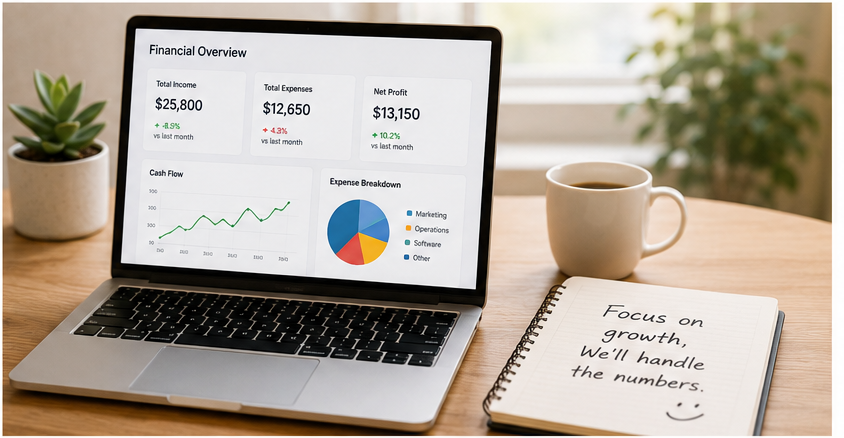
Once you’ve picked a platform, don’t rush the setup.
Start with:
- Setting up your chart of accounts
- Connecting your business bank and credit-card accounts
- Importing opening balances carefully
- Configuring invoice templates
- Setting up sales-tax rules where applicable
- Connecting essential integrations
- Adding accountant or team access
- Testing transactions before relying heavily on automation
For the first few weeks, I recommend reviewing your books more often than you think you need to.
Automation is useful, but you still want to make sure transactions are being categorized and reconciled correctly.
Once you trust the workflow, you can let the software do more of the repetitive work.
Frequently Asked Questions
What is the best accounting software for small businesses in 2026?
For an all-around accounting platform, QuickBooks Online and Xero are strong places to start. Wave is appealing for freelancers and very small businesses wanting free basic accounting, while Zoho Books offers an impressive combination of affordability and automation. FreshBooks is particularly well suited to freelancers and service businesses that prioritize invoicing and project-related workflows.
The best choice ultimately depends on your business model, integrations, accounting complexity, and budget.
What is the best free accounting software for small businesses?
Wave Starter and Zoho Books Free are two options worth comparing.
Wave Starter provides free invoicing and basic bookkeeping, while Zoho Books offers a broader accounting feature set on its free U.S. plan but applies eligibility and usage limits.
Check current availability in your country because plans and features vary by region.
Is QuickBooks better than Xero?
Neither is universally better.
QuickBooks offers a broad ecosystem and extensive small-business accounting capabilities. Xero combines strong accounting functionality with integrations and a relatively clean interface.
If you’re deciding between them, test both with your real workflow rather than comparing feature lists alone.
Can I use accounting software without an accountant?
Yes. Many freelancers and small-business owners handle routine bookkeeping themselves.
However, an accountant can still be valuable for tax planning, complex transactions, financial controls, compliance, and reviewing your books as the business grows.
Accounting software is a tool—not a substitute for professional advice when you actually need it.
How much should small-business accounting software cost?
There’s no single right amount.
Free software may be enough for a straightforward solo business, while a growing company may willingly spend $50, $100, or considerably more each month if automation saves staff hours and reduces errors.
Think about the total cost of the accounting workflow, not just the subscription.
Final Verdict: Which Accounting Software Should You Choose?
If I were building a shortlist in 2026, I’d break it down this way:
Choose QuickBooks Online if you want a comprehensive platform with room for a growing business.
Choose Xero if you want strong cloud accounting, integrations, and reporting with a clean workflow.
Choose Wave if you’re a freelancer or very small business and want to keep basic bookkeeping and invoicing costs as low as possible.
Choose Zoho Books if you want excellent value, automation, or already use other Zoho products.
Choose FreshBooks if you’re a freelancer, consultant, or service business where invoicing, projects, and client work matter most.
My biggest piece of advice is not to choose accounting software based on which company has the longest feature list.
Think about the financial tasks you repeat every week.
Then choose the platform that makes those tasks easier.
The right accounting software won’t run your business for you, but it should give you cleaner books, better visibility into your finances, and fewer hours spent wondering where all those transactions came from.
Ready to Make Bookkeeping Easier?
The right accounting software should save you time—not give you another complicated system to manage.
Start by identifying the financial tasks that take up the most time in your business, then compare the platforms above based on the features you’ll actually use. Whether you choose QuickBooks Online, Xero, Wave, Zoho Books, or FreshBooks, take advantage of any available free trial or free plan before committing.
Ready to find the right fit for your business?
👉 Compare the accounting software options above, explore the plans that match your needs, and start simplifying your bookkeeping today.