

Accounting software can make bookkeeping faster, more accurate, and easier to manage—but only when it is set up and used correctly.
For small business owners and startup founders, tools such as QuickBooks Online, Xero, FreshBooks, and Wave can automate repetitive bookkeeping tasks, organize transactions, and clarify your business finances. But automation does not eliminate the need for oversight. A setup error, an incorrectly categorized transaction, or a bank feed that stops syncing can gradually distort your financial reports.
The good news is that many accounting software mistakes are preventable. The key is knowing where problems commonly occur and building simple processes to catch them early.
Here are seven costly accounting software mistakes to watch for in 2026—and practical ways to avoid them.
Important: This article provides general educational information and is not accounting, tax, or legal advice. Consult a qualified professional for advice specific to your circumstances. Product features and availability vary by plan, country, and date.
Affiliate Disclosure: This article may contain affiliate links. If you make a purchase through one of these links, I may earn a commission at no additional cost to you. I identify products I have personally used where relevant. I may also recommend products based on independent research, and I aim to explain the basis for each recommendation. All opinions are my own.
Why Accounting Software Mistakes Happen
Most accounting software errors don’t come from the software itself. They usually result from rushed setup, incorrect assumptions about automation, inconsistent bookkeeping habits, or unfamiliarity with the platform.
This is particularly common in startups and small businesses, where the owner may handle bookkeeping alongside sales, marketing, operations, and customer service.
Modern accounting platforms can automate much of the work, but they still depend on accurate inputs and sensible configuration. You still need to review bank transactions, reconcile accounts, and check financial reports for unusual activity.
Think of accounting automation as an assistant, not an autopilot system.
Mistake #1: Relying Too Heavily on Automation

Automation is one of the biggest advantages of modern accounting software—and one of the easiest features to misuse.
Bank feeds, transaction rules, recurring invoices, payment reminders, and automatic categorization can save hours of manual work. However, an automated process can also repeat an error hundreds of times if it was configured incorrectly.
For example, suppose a rule consistently categorizes purchases from a vendor as office expenses when they should be recorded as inventory. The software may process every transaction exactly as instructed, but the financial reports will still be wrong.
The solution is not to avoid automation. It is to review what automation produces.
Periodically check:
- Automatically categorized transactions
- Bank-feed matches
- Recurring invoices and expenses
- Payment-processing fees
- Sales-tax settings
- Duplicate or missing transactions
Automation should reduce repetitive work without eliminating human review.
Mistake #2: Using the Default Chart of Accounts Without Customizing It
Most accounting platforms provide a default chart of accounts when you create a business. That helps you get started, but the default structure may notreflect how your business earns and spends money.
An e-commerce company, for example, may need separate accounts for product sales, shipping income, cost of goods sold, merchant processing fees, advertising, returns, and fulfillment expenses. A consulting company may need a simpler structure centered on service revenue, contractors, software, and professional expenses.
A well-designed chart of accounts makes financial reports easier to understand and more useful for decision-making. However, avoid creating dozens of unnecessary categories. Too much detail can make bookkeeping harder, not better.
Start with a simple structure that reflects your business’s economics, and expand it only when a genuine reporting need arises. If you’re unsure, ask a bookkeeper or accountant before making major structural changes.
Mistake #3: Failing to Reconcile Bank and Credit Card Accounts
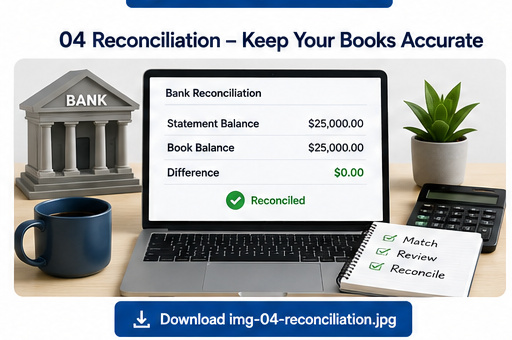
Connecting a bank account to accounting software does not replace reconciliation.
A bank feed imports transaction information. Reconciliation checks whether the records in your accounting system agree with your bank or credit card statements.
Transactions can be duplicated, omitted, entered for the wrong amount, or categorized incorrectly. Connections can also be interrupted. Without reconciliation, these problems may remain unnoticed for months.
Reconcile business bank and credit-card accounts at least monthly. Businesses with high transaction volumes may benefit from reviewing them more frequently. During reconciliation, look for:
- Missing or duplicate transactions
- Incorrect transaction amounts
- Unrecorded fees
- Incorrectly matched payments
- Unexpected withdrawals
- Old outstanding transactions
Regular reconciliation also makes tax preparation and year-end accounting easier because it addresses problems while transactions are still fresh. QuickBooks describes reconciliation as matching accounting records to actual bank and credit card statements, while FreshBooks recommends performing it at least monthly.
Mistake #4: Categorizing Income and Expenses Incorrectly
A transaction appearing in your accounting software does not mean it has been recorded correctly.
One common source of trouble is confusing the amount deposited into a bank account with the amount of revenue the business earned. Suppose a business makes a $1,000 sale and its payment processor deducts a $30 fee before depositing $970. Recording only the $970 deposit as revenue could understate both sales revenue and processing expenses.
Depending on the accounting method, processor integration, settlement workflow, and advice from the business’s accounting professional, the transaction may need to reflect $1,000 in revenue and a separate $30 processing fee.
Other common categorization problems include:
- Recording loan proceeds as revenue
- Treating transfers between business accounts as income or expenses
- Mixing personal and business purchases
- Automatically treating asset purchases as ordinary expenses without considering the business’s capitalization policy and applicable tax rules
- Recording owner contributions as sales
- Using inconsistent categories for similar transactions
These errors matter because financial reports are only as reliable as the transactions behind them. When you encounter an unfamiliar transaction, don’t guess just to clear it from the review queue. Consult authoritative guidance or a qualified accounting professional.
Mistake #5: Ignoring Broken Bank Feeds and Integrations
Bank feeds make bookkeeping easier, but integrations aren’t guaranteed to work indefinitely without ongoingattention.
A connection may require updated credentials, a financial institution may change its authentication process, or an integration with a payment platform, point-of-sale system, payroll provider, or e-commerce platform may stop syncing properly. When that happens, transactions can go missing or appear twice.
Warning signs include:
- No new transactions appearing for several days
- Duplicate transactions
- Unexpected changes in account balances
- Repeated connection errors
- Large numbers of unmatched transactions
Check connected systems regularly and investigate failures promptly rather than assuming they will correct themselves
Mistake #6: Neglecting Security and User Permissions
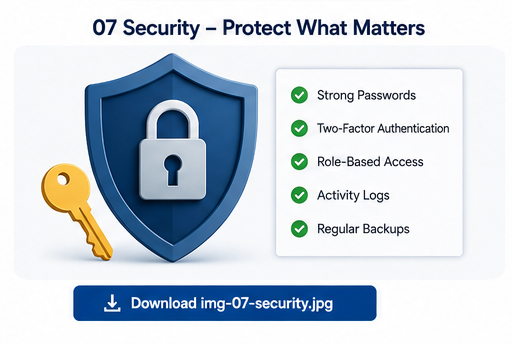
Your accounting system contains some of your business’s most sensitive information. Your accounting system contains some of your business’s most sensitive information. Security deserves the same attention as bookkeeping accuracy.
Enable the strongest available authentication options, including multi-factor authentication where supported. As your team grows, avoid giving every employee the same access. For example, someone who only creates invoices may not need permission to change accounting settings or view every financial report.
Depending on the software and plan, useful controls may include:
- User roles and permissions
- Multi-factor authentication
- Activity histories or audit logs
- Login notifications
- Accountant-specific access
- Data-export and retention options
For cloud accounting software, “backup” does not necessarily mean maintaining your own server backup. Review the provider’s retention policies, account-recovery options, export capabilities, and procedures for retrieving information. If you use locally hosted or self-hosted software, reliable independent backups become even more important.
Mistake #7: Failing to Review Financial Reports
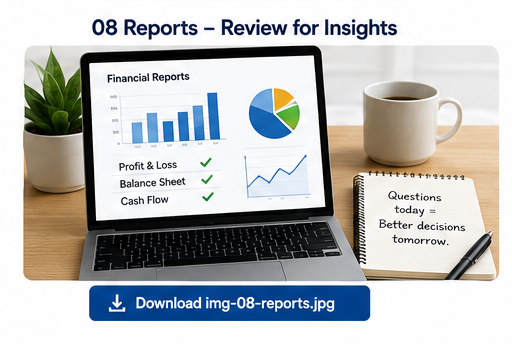
Bookkeeping isn’t finished simply because every transaction has been categorized. The real value of accounting software comes from turning those transactions into information you can use to understand your business.
Review key reports regularly, including:
- Profit and loss statement
- Balance sheet
- Cash flow statement
- Accounts-receivable aging report
- Accounts-payable aging report
- Sales or revenue reports
Look for changes that do not make sense. Did gross margin suddenly fall? Did an expense category double even though operations did not change? Is accounts receivable growing faster than sales? Is a balance-sheet account unexpectedly negative?
Unexpected movements do not always indicate errors, but they are worth investigating. Regular report reviews can identify bookkeeping problems while improving your understanding of the business itself.
How to Avoid Costly Accounting Software Mistakes
You do not need a complicated process to keep your books under control. A few consistent habits can prevent many common problems.
1. Choose Software Based on Your Actual Needs
Consider your business size, transaction volume, invoicing needs, inventory requirements, integrations, multicurrency needs, reporting needs, accountant access, and budget. Confirm the features included in the specific plan and the country you operate in.
2. Learn the Core Features Before Automating Everything
Learn how the software handles bank feeds, invoices, reconciliation, reporting, and user permissions. Official help documentation is usually the best place to start. Do not create large numbers of automation rules until you understand what they will do.
3. Customize Your Setup
Review the chart of accounts, tax settings, invoice templates, payment terms, integrations, and recurring transactions. The accounting system should reflect how your business actually operates.
4. Review Automated Transactions
Periodically review transaction rules, imported bank transactions, payment matches, and recurring entries to confirm that the system is behaving as expected.
5. Reconcile Regularly
Set a recurring monthly bookkeeping routine. Reconcile bank and credit card accounts, investigate discrepancies, and confirm that important integrations are still working.
6. Review Your Reports
After reconciliation, review your primary financial statements for both bookkeeping errors and information that can support better business decisions.
7. Know When to Ask for Help
Consider professional assistance if you consistently fall behind, don’t understand your statements, have old, unresolved balances, face complex inventory or sales-tax requirements, operate across entities or currencies, or are preparing for financing, an audit, or a major transaction.
Want to Keep Accounting Software Mistakes From Costing You?
Even the best accounting software needs the right setup, regular reviews, and accurate bookkeeping to back it up.
Let IntegriBooks help you keep your books accurate, organized, and up to date—so you can spend less time fixing accounting errors and more time running your business.
→ Talk to an IntegriBooks Bookkeeping Expert
What to Consider Before Switching Accounting Software
Switching platforms can solve real problems, but migration brings its own risks. Before moving, evaluate:
- Data migration: Determine whether you can transfer historical transactions, invoices, customer records, attachments, reconciliations, journal entries, and audit history. Preserve appropriate exports from the old system.
- Security: Compare authentication, permissions, activity tracking, recovery, and data-management policies.
- Integrations: Inventory every bank, payment processor, e-commerce platform, payroll system, point-of-sale tool, and other service that connects to the current platform.
- Support: Confirm the documentation, support channels, training, and accountant access included in the specific plan.
Accounting Software Options for Small Businesses
No single platform works best for every business. Compare the specific plan offered in your country rather than assuming every advertised feature is included.
QuickBooks Online
QuickBooks Online supports bank connections, invoicing, reconciliation, reporting, and integrations. As of August 2026, Intuit lists AI-powered reconciliation for QuickBooks Online Plus, Advanced, and Intuit Enterprise Suite.
Xero
Xero is an established cloud accounting platform with accounting, invoicing, reporting, and integration features. Confirm the current plan and regional availability for multicurrency, inventory, analytics, and other advanced capabilities before subscribing.
FreshBooks
FreshBooks emphasizes invoicing, client management, expense tracking, and service-business workflows. As of August 2026, FreshBooks lists double-entry accounting reports and bank reconciliation for Plus, Premium, and Select—not Lite.
Wave
Wave offers a $0 Starter plan for basic invoicing and bookkeeping. As of August 2026, its Pro plan adds automatic bank-transaction imports, automatic merging and categorization, and automated late-payment reminders. Confirm receipt-capture availability and pricing for the applicable plan, device, and market, because Wave’s pricing materials describe it differently across plan summaries and detailed comparisons.
Frequently Asked Questions
What is the most common accounting software mistake?
One common assumption is that automation guarantees accuracy. Imported transactions, categorization, and invoicing still require periodic review.
How often should a small business reconcile its accounts?
Monthly reconciliation is a sensible baseline. Businesses with high transaction volumes or unusual activity may want to review accounts more frequently.
Is a bank feed the same as reconciliation?
No. A bank feed imports transactions; reconciliation compares accounting records with bank or credit card statements to confirm that the balances and transactions agree.
What accounting software is best for a startup?
There is no universal answer. Compare the specific plan available in your country, along with integrations, reporting, support, scalability, and total cost.
Should I hire a bookkeeper if I use accounting software?
Software records and processes financial information. A skilled bookkeeper or accountant can assess whether that information has been recorded correctly and whether the treatment makes sense.
How can I tell if my accounting software is set up incorrectly?
Warning signs include unreconciled balances, many uncategorized transactions, duplicate income or expenses, unexpected negative balances, growing suspense accounts, outdated receivables, and bank feeds that have stopped updating.
Final Thoughts
Accounting software is most valuable when it combines automation with consistent human oversight.
The biggest mistakes are rarely dramatic. They are usually small problems—a transaction categorized incorrectly, a bank connection that stops updating, an automation rule that was never reviewed, or a reconciliation that keeps getting postponed. Over time, those problems can undermine the accuracy of your financial reports.
Configure the software carefully, automate repetitive tasks where appropriate, reconcile accounts regularly, review financial statements, protect access to sensitive information, and seek professional help whenaccounting becomes more complex.
The goal is not perfect bookkeeping automation. It is reliable financial information you can confidently use to run your business.
Accurate Books Start With the Right Support
Accounting software can automate the work, but keeping your books accurate still requires the right setup, regular reconciliation, and careful review.
IntegriBooks can help you clean up your books, stay on top of your bookkeeping, and build a more reliable financial picture of your business.
Ready to spend less time worrying about your books?
→ Schedule a Consultation With IntegriBooks
Sources