
Keeping your business finances under control becomes more challenging as your company grows. More customers, employees, transactions, sales channels, and reporting requirements can quickly expose the limitations of accounting software that once worked perfectly well.
If your team is spending more time working around your accounting system than benefiting from it, the problem may no longer be your processes. It may be the software itself.
Knowing when to upgrade accounting software can help you reduce errors, improve financial visibility, and avoid inefficient processes before they become expensive problems.
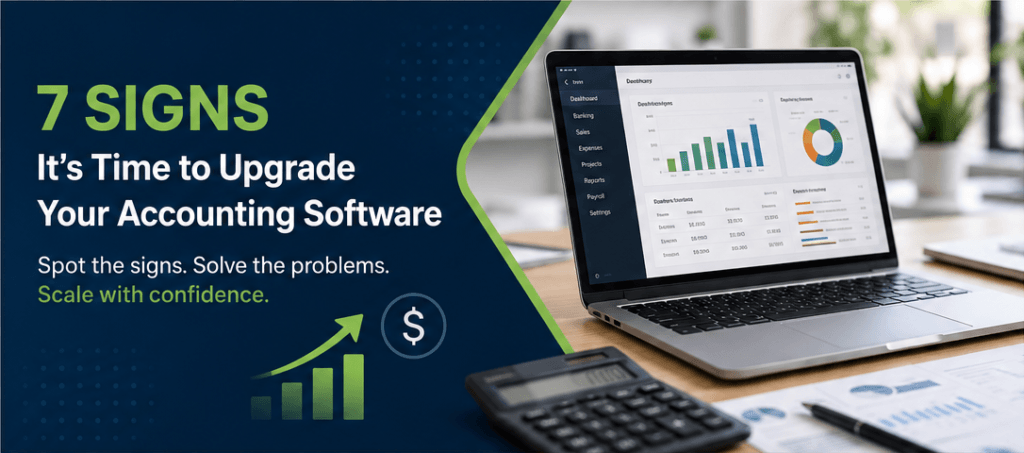
Business growth often creates new accounting requirements. Here are seven common signs your current system may no longer be keeping up.
Affiliate Disclosure: This article contains affiliate links. If you join Wealthy Affiliate through one of my links, I may earn a commission at no additional cost to you. I only recommend products and services I have personally used or genuinely believe provide value to my readers. All opinions expressed in this review are my own.
1. Manual Data Entry Is Taking Too Much Time
Some manual entry is unavoidable, but repeatedly copying transactions, invoices, receipts, or other financial information between systems creates unnecessary work.
It also increases the risk of duplicate entries, missing information, and human error.
Modern accounting platforms can automate many routine processes through features such as bank feeds, transaction matching, recurring invoices, receipt capture, and integrations. If your employees are spending hours moving information between spreadsheets and accounting software, automation should be high on your list of priorities.
2. Financial Reporting Is Slow or Difficult
Your accounting system should help you understand your business—not make financial information harder to access.
If producing a profit and loss statement, cash flow report, balance sheet, or customized management report requires extensive spreadsheet work, your software may be limiting your ability to make timely decisions.
Modern platforms increasingly offer customizable reports, dashboards, and drill-down capabilities that make it easier to move from high-level financial results to individual transactions.
3. Your Accounting Software Doesn’t Integrate With Other Systems
Accounting rarely operates in isolation. Your business may also rely on payroll software, payment processors, ecommerce platforms, expense-management tools, CRM software, or inventory systems.
When these systems cannot exchange data efficiently, employees often have to transfer information manually. That creates duplicated work and additional opportunities for errors.
When evaluating new accounting software for a small business, look carefully at available integrations and APIs. The right platform should work smoothly with the tools your business already depends on.
4. Inventory Management Has Become Complicated
Businesses that sell physical products can quickly outgrow basic inventory tools.
As sales volume increases, you may need better visibility into stock levels, purchasing, product performance, fulfillment, and multiple locations.
Inventory capabilities vary considerably between accounting platforms and subscription plans. Some platforms provide basic stock tracking, while advanced capabilities such as multiple warehouses, serial-number tracking, batch management, and sophisticated fulfillment may require higher-tier plans or dedicated inventory software.
If inventory is a major part of your operation, compare these capabilities carefully rather than assuming every accounting package offers the same functionality.
5. Software Limits Are Restricting Growth
Some accounting products or subscription tiers impose limits on users, customers, transactions, features, or other resources.
Those restrictions may not matter when your company is small. As the business grows, however, they can create bottlenecks or force you into increasingly expensive workarounds.
Before switching platforms, check not only what you need today but also what you are likely to need over the next few years.
A scalable system should allow your business to add users, processes, integrations, and functionality without requiring another disruptive migration soon afterward.
6. Security or Compliance Has Become a Concern
Financial systems contain highly sensitive information, making security an essential consideration when evaluating accounting software.
Look for clearly documented security practices such as multi-factor authentication, encryption, access controls, backups, and recognized security certifications or independent audits where appropriate.
Be cautious about assuming that moving to cloud accounting software automatically makes your business compliant with every tax, accounting, or privacy requirement. Software can support compliance, but your obligations depend on your jurisdiction, industry, configuration, and business practices.
7. Support and Product Development Are Falling Behind
Accounting software is too important to rely on a platform that receives little development or inadequate support.
Frequent technical problems, slow support, missing integrations, or a lack of meaningful product updates can become increasingly disruptive as your company grows.
When evaluating alternatives, review the provider’s support channels, service availability, documentation, product-update history, and customer feedback.
How Accounting Needs Change as a Business Grows
A new business may need little more than invoicing, expense tracking, bank reconciliation, and basic financial reports.
Growth changes the equation.
You may eventually need to manage:
- More transactions and customers
- Additional employees and software users
- Inventory and purchasing
- Multiple sales channels or locations
- More detailed financial reporting
- Approval workflows and user permissions
- Integrations with payroll, CRM, ecommerce, and payment systems
- More complex tax and regulatory requirements
That is why the accounting software that was ideal when you launched may not be the best solution several years later.
The goal is not necessarily to buy the platform with the longest feature list. It is to choose a system that addresses your current bottlenecks while giving you enough room to grow.
How to Know If You Need New Accounting Software
Before researching vendors, identify exactly what is going wrong with your current system.
Ask yourself:
- Which accounting tasks consume the most employee time?
- How much manual data entry does the team perform each week?
- Are employees maintaining spreadsheets because the accounting system cannot provide the information they need?
- How often do duplicate entries, missing receipts, or reconciliation problems occur?
- Can managers access reliable financial reports when they need them?
- Does the software integrate with your other critical business systems?
- Are user, customer, transaction, or feature limits becoming restrictive?
- Are you paying more without receiving functionality that creates meaningful value?
- Will the software still meet your needs if the business grows significantly?
Documenting these problems gives you a much clearer set of requirements for evaluating alternatives.
Accounting Software Options for Small and Growing Businesses
There is no single “best” accounting platform for every company. The right choice depends on your business model, location, budget, accounting requirements, and existing technology.
Here are several widely used options worth considering.
Xero
Xero is a cloud-based accounting platform offering invoicing, bank reconciliation, reporting, inventory functionality, and a large ecosystem of third-party applications.
Worth considering for: Growing small businesses that value integrations, automation, reporting, and access for accountants or advisors.
QuickBooks Online
QuickBooks Online is a well-known small-business accounting platform with multiple subscription levels and a broad ecosystem of complementary services.
Worth considering for: Businesses looking for a mainstream accounting platform with a broad feature set and extensive third-party ecosystem.
Because features and availability can vary by country and subscription level, confirm that the specific QuickBooks plan available in your region supports your requirements before migrating.
Zoho Books
Zoho Books combines accounting, invoicing, reporting, automation, inventory features, and integrations with other Zoho products. Its capabilities expand considerably across subscription tiers.
Worth considering for: Budget-conscious businesses, especially those already using other products in the Zoho ecosystem.
FreshBooks
FreshBooks combines invoicing and accounting with features aimed at service-based businesses, including time tracking and project-related workflows.
Worth considering for: Freelancers, consultants, agencies, and service businesses that rely heavily on invoicing, projects, and billable time.
Wave
Wave offers an entry-level accounting option with core bookkeeping and invoicing functionality. However, businesses should review current plans carefully because automation and other advanced features may require a paid subscription.
Worth considering for: Very small businesses and solopreneurs looking for straightforward bookkeeping and invoicing, particularly where Wave’s services are available.
What Can You Gain by Upgrading?
Changing accounting systems requires work, so an upgrade should produce measurable improvements.
Faster, More Useful Reporting
Better reporting can reduce spreadsheet work and give decision-makers quicker access to financial information.
Instead of assembling reports manually, your team may be able to monitor cash flow, profitability, expenses, and other key metrics directly within the accounting platform.
More Efficient Inventory Management
For product-based businesses, stronger inventory capabilities can improve visibility into stock levels, purchasing, and sales.
However, advanced requirements—such as multiple warehouses, serial-number tracking, manufacturing, or sophisticated fulfillment—may require a higher-tier accounting plan or dedicated inventory or ERP software.
Less Manual Data Entry
Bank feeds, recurring transactions, integrations, receipt capture, and automated reconciliation can reduce repetitive bookkeeping.
The result is not simply convenience. Reducing duplicate work can also lower the risk of errors and give employees more time for analysis and other higher-value tasks.
Stronger Security Controls
Modern platforms may provide capabilities such as multi-factor authentication, encryption, automatic backups, and user-access controls.
These tools can strengthen your security posture, but they still need to be configured and used correctly.
Better Scalability
Perhaps the biggest advantage of upgrading is creating room for growth.
Choosing a system that can accommodate additional employees, transactions, locations, integrations, and reporting requirements can help you avoid repeating the migration process in another year or two.
Need Help Getting Your Accounting Systems in Order?
Choosing new accounting software is only part of the equation. Setting it up correctly, migrating your financial data, and making sure it works with your existing processes can be just as important.
[Company Name] can help you evaluate your current bookkeeping and accounting processes, identify inefficiencies, and determine the right next steps for your business.
Talk to an Accounting Expert →
What to Consider Before Switching Accounting Software
A successful migration involves more than comparing feature lists.
Data Migration
Find out exactly what information can be transferred from your current system, including:
- Chart of accounts
- Customers and suppliers
- Outstanding invoices and bills
- Historical transactions
- Bank information
- Inventory records
- Attachments and receipts
- Custom fields
Ask whether the new provider offers migration assistance and what historical data will be available after the move.
Integrations
Create a list of every system that currently exchanges information with your accounting software.
Check compatibility with payroll, CRM, payment processing, ecommerce, inventory, expense management, and any industry-specific applications before committing to a platform.
Mobile Access
If owners, employees, or accountants regularly work away from the office, review the platform’s mobile functionality.
Do not assume the mobile application offers every feature available in the desktop or browser version.
Scalability
Think beyond your immediate requirements.
Consider how pricing and functionality change as you add users, customers, transactions, locations, or more advanced accounting requirements.
Customer Support
Research the support available on the exact subscription tier you are considering.
Support channels and availability can differ between free and paid plans, so compare response options before making a decision.
Total Cost of Ownership
The subscription price is only part of the cost.
Factor in:
- Additional users
- Payroll
- Payment-processing fees
- Premium integrations
- Inventory or ecommerce add-ons
- Data migration
- Training
- Bookkeeping or accounting support
A platform with a lower advertised monthly price is not necessarily the least expensive option once your full requirements are included.
Not Sure Whether Your Current Accounting Setup Is Still Working?
You don’t have to wait until reporting problems, manual work, or accounting errors become major headaches.
If your business is growing and your financial processes are becoming harder to manage, [Company Name] can help you identify what is slowing you down and find a more efficient way forward.
Frequently Asked Questions
What are the signs it’s time to upgrade accounting software?
Common warning signs include excessive manual data entry, difficult reporting, integration problems, inadequate inventory functionality, restrictive plan limits, security concerns, and poor vendor support. If employees regularly use spreadsheets or manual workarounds to compensate for missing functionality, your business may have outgrown its current system.
How do I identify my biggest accounting software pain point?
Ask the people who use the software every day. Track how much time they spend on repetitive tasks such as data entry, reconciliation, reporting, inventory updates, and correcting errors.
Focus first on the problems that consume the most time or create the greatest financial risk.
How do I choose new accounting software for a small business?
Start with your requirements rather than a list of brands.
Identify your must-have features, integrations, number of users, reporting requirements, budget, inventory needs, and expected growth. Then compare platforms against those criteria and use demos or free trials where available before making a decision.
Are there affordable accounting software options for startups?
Yes. Several accounting providers offer entry-level or free plans, although pricing, eligibility, and features vary by country and can change over time.
Always compare what is actually included. Features such as bank feeds, additional users, inventory management, receipt capture, payroll, and advanced reporting may require a paid subscription.
Is cloud accounting software more secure?
Cloud accounting platforms can offer strong security features such as encryption, multi-factor authentication, backups, and controlled user access. However, “cloud-based” does not automatically mean “secure.”
Evaluate each provider’s security practices and configure your account appropriately, including strong authentication and carefully managed user permissions.
Final Thoughts
Accounting software should make managing your finances easier as your business grows—not create another operational bottleneck.
If manual work is increasing, reports are difficult to produce, integrations are failing, or your software’s limitations are affecting everyday operations, it may be time to evaluate alternatives.
Start by identifying the problems your current system cannot solve. Then compare potential replacements based on functionality, integrations, scalability, security, migration support, and total cost—not simply the advertised monthly price.
The best accounting software is not necessarily the platform with the most features. It is the one that solves your current problems, fits your business processes, and can continue supporting you as your company grows.
Ready to Simplify Your Accounting?
You don’t have to figure out the next step alone. Whether you need better bookkeeping processes, help improving your accounting workflow, or guidance as your business grows, [Company Name] can help.
Spend less time wrestling with your books and more time building your business.